.avif)
How Reviving Home Streamlined Humanitarian Operations with Retable
Discover how Reviving Home, a non-profit supporting displaced families, replaced fragmented spreadsheets with Retable—improving project visibility, reducing errors, and speeding up approvals by 40%.
Managing humanitarian operations in crisis zones is not just about logistics—it’s about speed, accuracy, and trust. For organizations working in regions like North Syria, even small delays in reporting or resource coordination can have major consequences.
That’s exactly why Reviving Home, a non-profit organization supporting displaced and vulnerable families through housing and essential aid, decided to move away from scattered spreadsheets and adopt Retable as their centralized operational hub.
The result: clearer visibility, faster approvals, fewer errors, and a more aligned team across the field and headquarters.
About Reviving Home
Reviving Home (revivinghome.org) is a non-profit organization focused on restoring stability for displaced families by delivering housing solutions, infrastructure rehabilitation, and essential life support.
The organization operates with a core team of paid professionals and a growing volunteer network. Their main projects take place in high-urgency environments such as refugee camps and vulnerable communities in Northwest Syria, where reliable and fast project tracking is critical.
The challenge: Fragmented spreadsheets and manual reporting
Before using Retable, Reviving Home relied on a combination of:
- Google Sheets
- Excel files shared across departments
- Paper-based field forms
- Email threads and messaging apps for updates
While these tools worked initially, they became increasingly inefficient as operations expanded.
Key issues they faced
Reviving Home identified four major operational barriers:
1. Data silos
Information was spread across multiple documents, making it difficult to track the full picture of project progress and humanitarian impact.
2. Version control problems
With multiple people editing the same spreadsheets, duplicate records and outdated versions became common.
3. No real-time visibility
Management couldn’t see progress instantly. Reports often required manual consolidation and time-consuming updates.
4. Complex relationships were hard to manage
Tracking relationships between donors, projects, and beneficiaries was extremely difficult in traditional spreadsheets.
Why Reviving Home chose Retable
As the organization grew, the team needed a platform that was simple enough for non-technical staff, but powerful enough to manage relational operational data.
Reviving Home chose Retable because it offered:
- The familiarity of spreadsheets
- The structure of a relational database
- Flexible collaboration tools
- Customizable workflows suitable for humanitarian programs
- Strong permissions and data security for sensitive beneficiary information
They also emphasized how crucial Retable was for working in crisis environments like Syria, where teams must track housing units efficiently both online and offline.
Evaluating alternatives
Reviving Home considered other tools such as Airtable and Monday.com, but Retable stood out due to:
- Strong collaboration experience
- Advanced views like Map View and Kanban
- Better control over sensitive data via permission settings
- A more scalable solution aligned with non-profit budgets
- Powerful automation features without added complexity
How Reviving Home uses Retable today
Retable became the backbone of Reviving Home’s daily operations. Their primary use cases include:
1. Operations tracking
They manage housing rehabilitation projects end-to-end—from initial assessment to final delivery.
2. Beneficiary data management
They maintain structured records of vulnerable families, aid distribution, and program eligibility.
3. Volunteer coordination
Retable helps track volunteer assignments, schedules, and contributed hours.
4. Resource allocation for crisis response
They ensure aid reaches the right families quickly, with a clear overview of stock, logistics, and field needs.
The most used Retable features
Reviving Home relies on several core Retable features that directly support field-to-office coordination:
Relational tables
They connect donors to specific projects and link those projects to individual beneficiaries—creating a structured and reliable database.
Forms
.png)
Field teams collect on-site data directly via mobile forms, eliminating paperwork and transcription delays.
👉 Explore more about this feature here: Retable Forms.
Map view
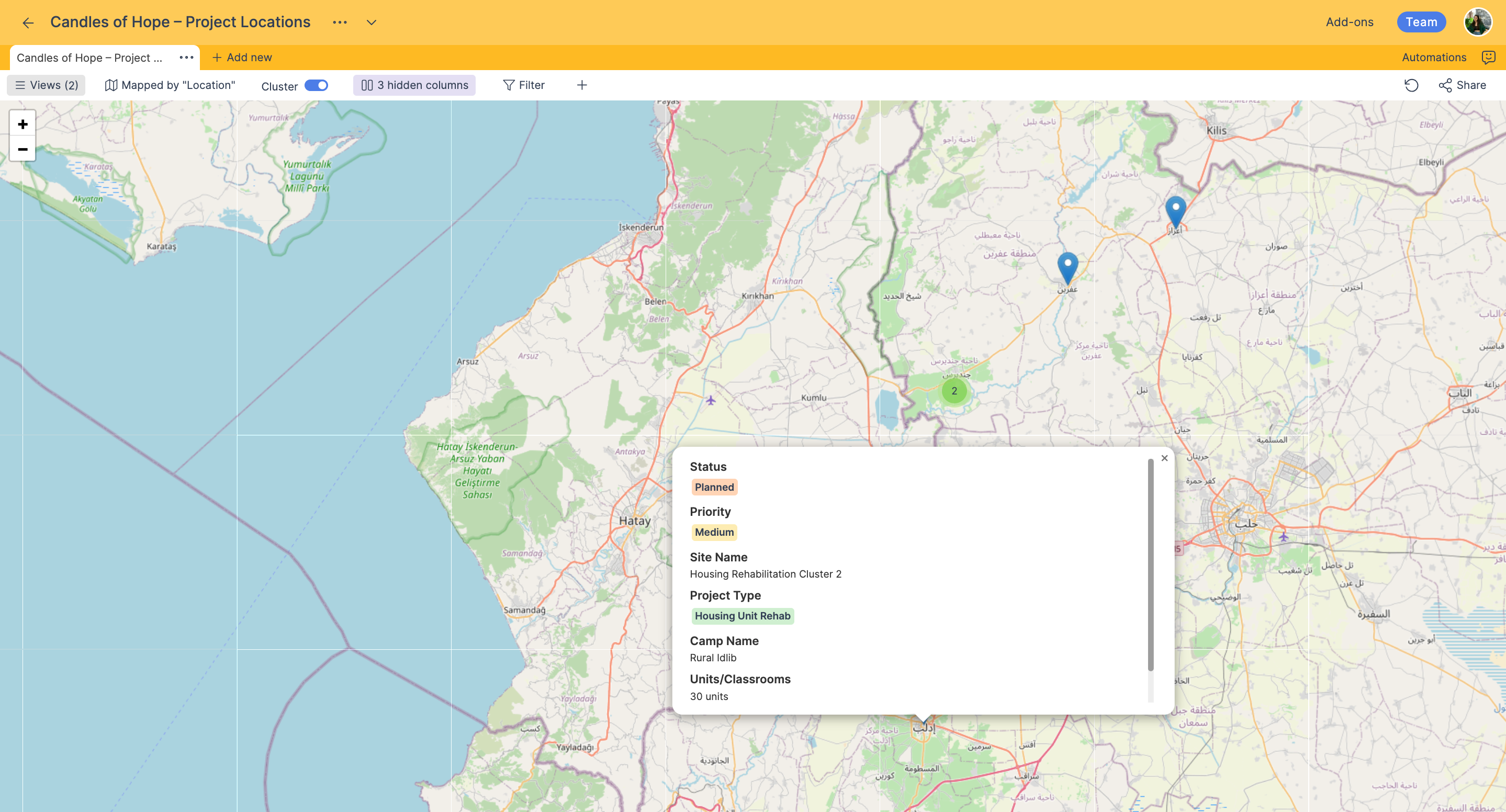
They visualize housing unit distribution and track geographical progress across regions.
Automations
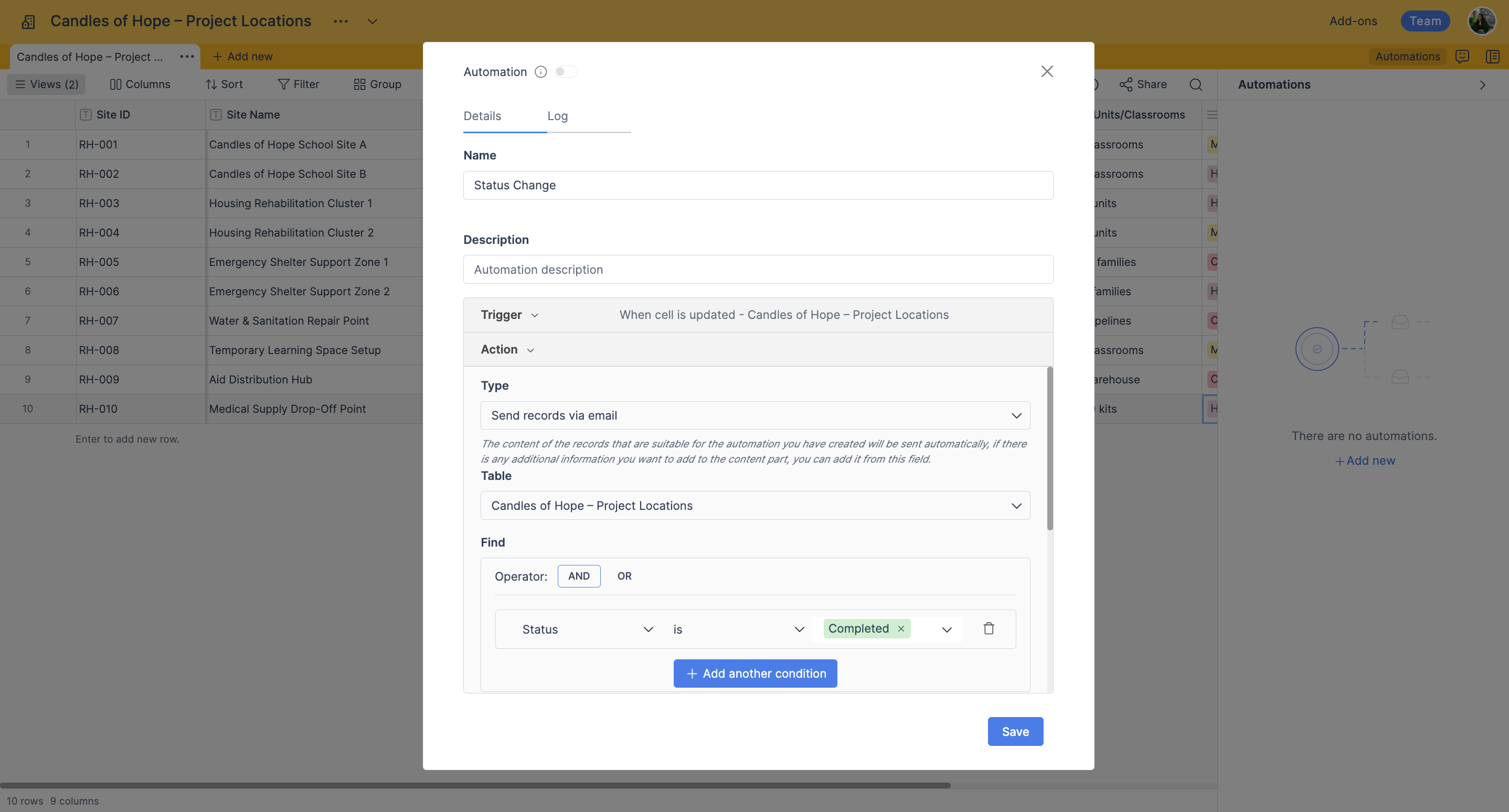
Automations send internal alerts when project statuses change (for example: “In Progress” → “Completed”).
Retable in daily operations: Where it becomes critical
According to Hadi Soufan (Operations Manager), Retable plays a key role at three critical points of their workflow:
Morning briefings
The team checks the Grid View to prioritize tasks and align daily field objectives.
Field inspections
Engineers and field officers enter data directly through mobile forms while on-site.
End-of-day reporting
Management reviews dashboards to track timelines, progress, and budget burn rates.
A real success story: The “Candles of Hope” school project
Retable became especially crucial during Reviving Home’s “Candles of Hope” program—an initiative that successfully completed the construction of a school in North Syria camps.
The team used Retable to bridge the operational gap between:
- Engineers on the ground
- Procurement and logistics teams
- Office-based management and decision makers
Engineers uploaded progress photos and inspection updates via Retable Forms, allowing management to review compliance and approve next-phase budgets instantly.
The defining moment: Preventing a two-week delay
During the final phase of the Candles of Hope school construction, the organization faced a sudden material sourcing challenge due to border movement restrictions.
Instead of losing weeks to slow reporting and manual coordination:
- Field engineers flagged the issue immediately in Retable
- The procurement team saw it instantly on their dashboard
- Resources were reallocated from another project in real-time
.png)
This prevented a two-week delay and allowed the school to open on time for hundreds of children who previously had no access to education.
Measurable results after switching to Retable
Reviving Home reported major measurable improvements after implementing Retable across operations.
- Reporting time reduced from 6 hours to 30 minutes: Weekly reporting previously required manual consolidation across multiple spreadsheets. Now, reporting takes less than 30 minutes.
- 90% reduction in data entry errors: Dropdowns, validation rules, and structured records eliminated issues such as duplicate beneficiary IDs and misspellings.
- 40% faster operational speed: Engineering approvals and budget releases improved dramatically—from 4 days to less than 24 hours.
- Panoramic visibility across teams: Instead of fragmented reporting, leadership and board members can now see live dashboards showing:
- Classrooms completed
- Materials consumed
- Construction progress
- Student registration status
- Stronger team alignment: Relational data structures keep procurement, engineering, and finance fully synced—without constant meetings or follow-up calls.
The biggest workflow improvement: Engineering inspection & reporting
One process that became significantly easier was engineering inspection reporting.
Previously, engineers had to:
- Take photos
- Return to a computer
- Write a report
- Email it to management
Now, they complete inspections directly through a mobile Retable Form, upload photos instantly, and the report is automatically formatted and shared.
This eliminated hours of administrative work and allowed engineers to focus more on quality control.
The top 3 benefits Reviving Home gets from Retable
According to the team, Retable delivers three major benefits:
1. Real-time field-to-office sync
Engineers in North Syria camps can update construction progress instantly, keeping the entire organization aligned.
2. Structural data integrity
Relational tables eliminate duplication and ensure project and beneficiary records remain accurate.
3. Operational agility
The no-code structure allows workflows to be created or updated in minutes—without IT consultants.
What would Break without Retable?
Reviving Home stated that if Retable suddenly became unavailable, their project lifecycle management would be severely impacted.
They would lose:
- Real-time oversight of school construction
- Fast engineering approvals
- Efficient material tracking across borders
- Emergency response coordination
Ultimately, humanitarian delivery timelines would slow down significantly.
What makes Retable different from other tools?
Reviving Home described Retable as having the ideal balance of simplicity and power.
While many platforms are either too expensive or overly complex for non-profits, Retable provides:
- Advanced views (Grid, Kanban, Map)
- Automations
- Strong permission management
- Scalability without increasing operational burden
Most importantly, Reviving Home emphasized that Retable feels like a true partner for humanitarian organizations—not just another software provider.
Recommendation: “A smart database that feels like a spreadsheet”
Reviving Home strongly recommends Retable to non-profits and field-based organizations, especially those working under challenging conditions.
.png)
Their one-sentence summary:
“Retable is a powerful, all-in-one workspace that transforms chaotic spreadsheets into a smart, collaborative database, making complex project management feel effortless.”
Advice for new Retable users
Their key advice for organizations starting with Retable:
- Start by defining your relational structure (projects, donors, beneficiaries)
- Don’t just copy-paste Excel files
- Use Forms for field data collection early
- Take advantage of templates and support
👉 Helpful starting point: Retable Templates
What’s next: Retable as their “Digital Nervous System”
Reviving Home plans to expand Retable into a central platform for:
- Financial tracking
- HR records
- Long-term impact assessment
- Donor transparency portals with real-time project progress
They also expressed interest in stronger offline functionality and enhanced dashboards—features that would further support their field operations in unstable internet regions.
Conclusion
For Reviving Home, Retable is far more than a spreadsheet replacement—it is a real-time command center enabling faster humanitarian delivery, better transparency, and safer project execution in crisis zones.
By replacing fragmented spreadsheets with a unified relational system, Reviving Home gained:
- Faster approvals
- Higher data accuracy
- Stronger coordination
- A scalable structure for growth
Most importantly, Retable helped them deliver real-world impact—ensuring children in North Syria camps could return to school on time, even under extreme logistical pressure.
Ready to build your own operations command center?
If your organization is struggling with disconnected spreadsheets, slow reporting, and scattered project data, Retable can help you centralize everything into one collaborative system.
👉 Get started instantly: Start for Free


